
Fleet maintenance and mobile inspections
Equipment Rental Maintenance Software That Keeps Your Fleet Ready to Rent
 Written by Rowan EllsworthReviewed
Schedule service, keep the full service history on every item, and record inspections from a mobile device when equipment goes out and when it comes back. Maintenance lives in the same system as your bookings and invoices, so your team always knows what is ready to rent.
Maintenance and inspections are included on the Professional ($79/month) and Business ($149/month) plans. Product screens show sample data for illustration.
When Maintenance Lives on Paper, Rentals Pay the Price
Equipment that isn't ready costs you a rental, and sometimes a customer. Most rental businesses don't skip maintenance on purpose. It slips because the schedule lives in a notebook, a spreadsheet, or one person's head.
Service dates get missed
Without a due date on each item, nobody sees that the generator is overdue for its oil change until it fails on a customer's site.
Inspections aren't recorded
If pickup and return checks aren't written down, it is hard to show what condition a machine was in when it left and when it came back.
The counter can't see the shop
When maintenance is tracked separately from bookings, staff can book out an item that is still waiting for service.
Maintenance Tracking Built Into Every Equipment Record
Preventive maintenance scheduling with due dates
Set up maintenance for each item with a due date and status, so upcoming service is visible before it becomes a problem. Your team sees what is due, what is overdue, and what has been done. A good starting point is the manufacturer's recommended service intervals for each type of equipment, turned into due dates on each record. You can also record engine hours on each machine, so usage sits next to its date-based service schedule.
Service history that stays with the equipment
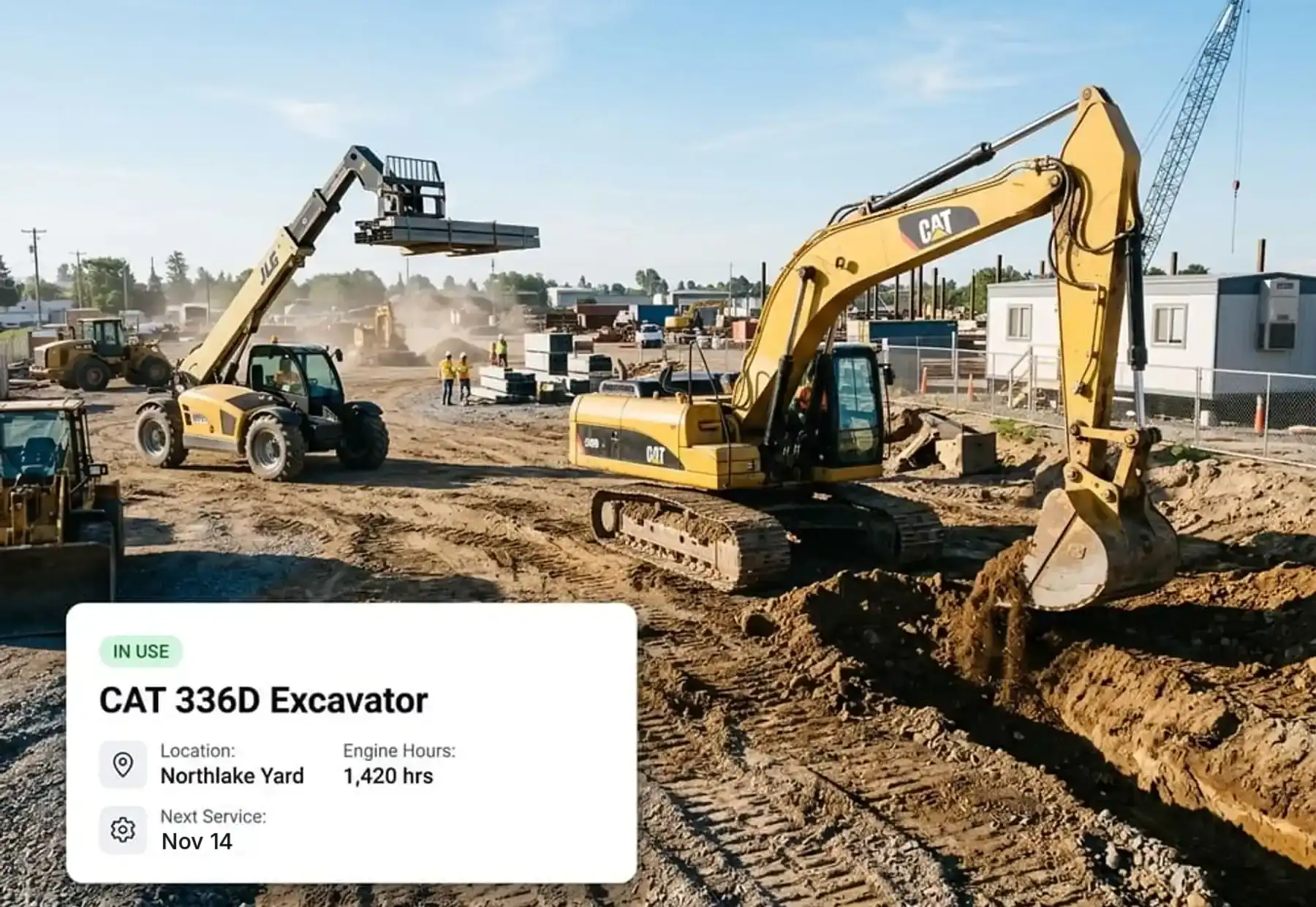
Every service entry stays on the equipment record, next to its rental history. When you are deciding whether to repair, rent, or replace a machine, you can see its full story in one place. Each record shows status, location, and next service date.
Mobile inspections at pickup and return
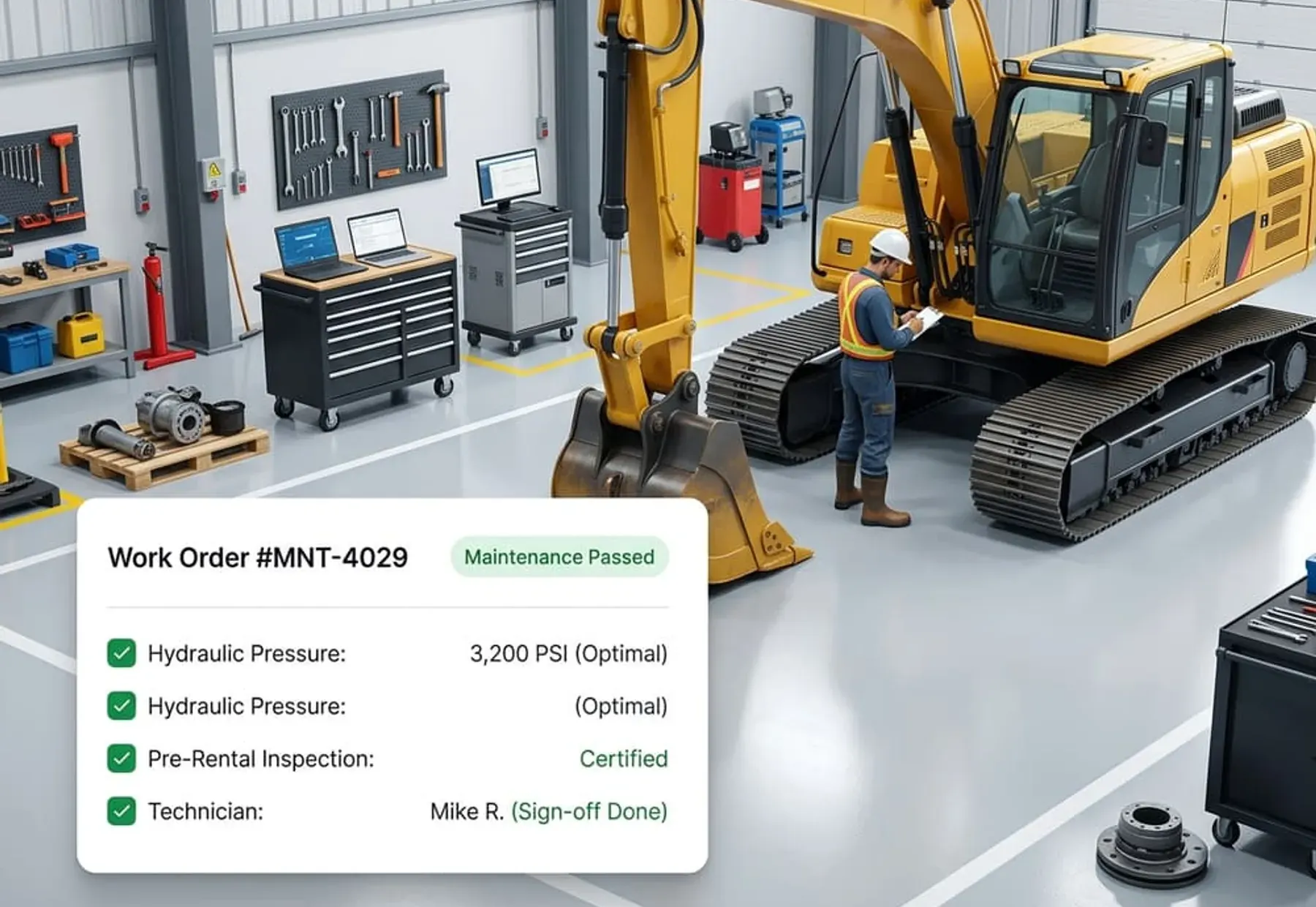
Record inspections from a mobile device when equipment goes out and when it comes back. Each inspection records who completed it and when. Making the inspection a routine step at every handover gives you a consistent record if a customer later questions damage.
See what is available, rented, or in maintenance
The inventory view shows totals for items that are available, rented, and in maintenance, and you can filter by category, location, or status. That gives the counter and the shop the same picture of the fleet. Make checking an item's status part of confirming every booking, so nothing still waiting for service goes out by mistake.
Work orders for repairs
When an inspection turns up damage or wear, or a machine needs a repair, create a work order for it. Track the work order through to completion, so the shop and the counter both know what is still being fixed. Completed work stays in the item's service history, next to its rentals.
Maintenance next to bookings and invoices
Because maintenance sits in the same system as inventory, bookings, rental orders, and invoices, there is no second tool to update. The service record, the rental calendar, and the customer's rental order all point to the same item.
How Equipment Maintenance Tracking Works
- 1
Add your equipment
Create a record for each item with specs, location, and condition notes.
- 2
Set the service schedule
Add maintenance with due dates so upcoming service shows on each record.
- 3
Inspect at pickup and return
Record an inspection at each handover. The record shows who did it and when.
- 4
Fix it and rent again
Create a work order for any repair, track it to completion, and keep the work in the service history, so the item is ready for the next customer.
Who Uses Equipment Rental Maintenance Software
Construction and heavy equipment rental
Excavators, loaders, lifts, and generators need regular service and a clear record of condition between jobsites.
construction equipment rental softwareParty and event rental
Tents, staging, and event equipment come back after every weekend and need checking before the next event.
party rental softwareTool and AV rental
Power tools, audio, video, and lighting gear change hands often. Pickup and return inspections show what went out, what came back, and what needs repair.
tool rental softwareWhich Plan Includes Maintenance
| Plan | Maintenance and inspections | Also includes |
|---|---|---|
| Starter, $39/month | Not included | Inventory, real-time availability, bookings, customer management, rental orders, basic reporting, 2 users, 1 location |
| Professional, $79/month | Included | Everything in Starter, plus online booking, payments and invoicing, advanced reporting, 5 users, 1 location, priority support and chat |
| Business, $149/month | Included | Everything in Professional, plus unlimited users and multiple locations |
Starter and Professional start with a 14-day free trial. Business starts with a demo.
Compare plans and pricing →|All equipment rental software features →
Equipment Rental Maintenance Software FAQ
What is equipment rental maintenance software?
Equipment rental maintenance software helps rental businesses schedule service, keep service history, and inspect equipment between rentals. In Equipment Rental Software, maintenance sits on the same record as inventory and bookings, so your team can see what is ready to rent and what needs attention.
What is preventive maintenance for rental equipment?
Preventive maintenance means servicing equipment on a schedule, before it breaks, instead of waiting for a failure. For a rental business, it lowers the chance that a machine fails on a customer's site and helps keep each item ready for the next rental.
How do pickup and return inspections work?
When equipment goes out, a staff member records an inspection from a mobile device. When it comes back, they record another one. Each inspection shows who completed it and when, so you have a record at both handovers.
Is this a CMMS?
No. A CMMS (computerized maintenance management system) is a standalone maintenance tool, often built for factories or facilities. Our maintenance features are part of equipment rental software, so service schedules and inspections sit next to bookings, rental orders, and invoices for the same equipment.
Which plan includes maintenance tracking?
Equipment maintenance and mobile inspections are included on the Professional plan ($79/month) and the Business plan ($149/month). They aren't part of Starter.
Can I see the service history for each item?
Yes. Service history stays on each equipment record along with its status, location, and next service date, so you can review an item's maintenance alongside its rentals.
Can I create work orders for repairs?
Yes, on the Professional and Business plans. When an inspection or a breakdown shows that an item needs repair, create a work order and track it to completion. The finished work stays in the item's service history.
Keep Every Item Ready for the Next Rental
Start a 14-day free trial on Professional to set up maintenance schedules and mobile inspections, or book a demo and we will show you how it works with your equipment. Questions? Call (708) 562-1403 or email hello@equipmentrentalsoftware.io.